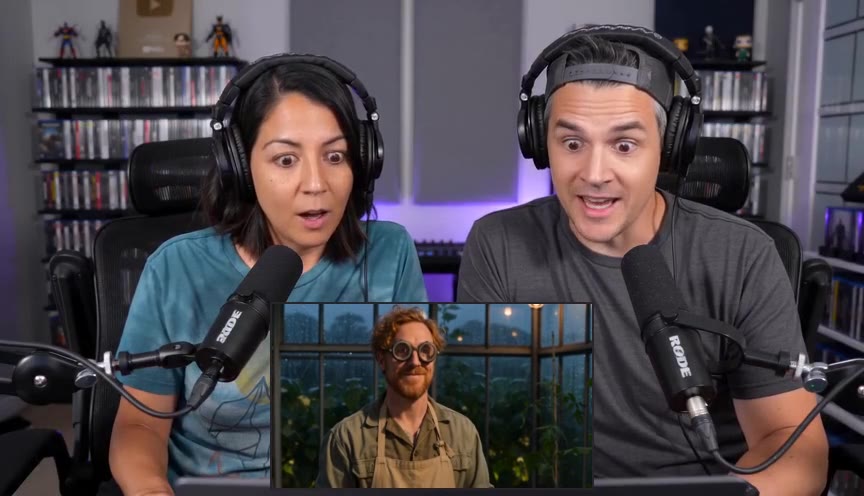
A good reaction short needs more than a loud moment. Viewers need enough context to understand what happened, a clear view of the reaction, and an ending that feels intentional. Here is how to work through that in Aftertake.
Start with the full recording
Choose a video from your workspace’s YouTube channel or upload a recording. Keep the original source available: the analysis copy helps find moments, while the source is used for the final render. Only import footage you have permission to process and publish.
Tell Aftertake what to look for
Choose how many shorts you want and their approximate length. Pick the kinds of moments that fit your channel, such as humour, surprise or discussion. Add spoiler instructions and exclude introductions, sponsor segments or other sections you do not want used.
These settings guide the selection. They do not guarantee that every recording contains enough strong, distinct moments for the requested number of clips.
Review the moment, not just the title
Watch each proposed short from start to finish. Does the opening make sense without the preceding conversation? Does the punchline or response finish before the clip ends? Adjust the start and end when a little more context or a tighter cut improves it.
If the recording contains a movie inset and multiple reactors, check that your template preserves the picture. A vertical crop can remove a person or the inset even when it looks fine in a single frame.
Check captions and framing
Play the rendered preview and look at the captions while people are actually speaking. Check names, timing, line breaks and whether any text covers a face or useful on-screen detail. Save your edits and review the updated render before approving it.
Approve, then choose where it goes
Once the short is ready, approve it. You can download the video, publish through a connected destination when available, or choose a time in the publishing calendar. Publishing availability depends on the platform connection and its permissions.
Want another batch from the same reaction? Generate more shorts from that recording. Aftertake uses the existing clips to avoid reselecting their time ranges; you should still review the new choices for repeated topics or near-identical moments.
A quick check before posting
- The opening gives the viewer enough context.
- All reactors and essential source details remain visible.
- Captions are readable and match the speech.
- The clip ends after the reaction has landed.
- The destination, privacy settings and posting time are correct.